
Convert Hash Digest to String: A Complete Guide for Beginners

If you work with cybersecurity, programming, data storage, or web development, you’ve probably seen a hash digest before. These long strings of characters often look confusing, but they play a very important role in protecting data and verifying information.
Many people search how to convert hash digest to string because they want to display hash values in readable form, debug applications, or understand encoded outputs. While hashes can’t usually be reversed to original data, they can be converted into readable string formats for analysis or display.
This guide explains everything in simple language — what hash digests are, why they matter, how they’re converted into strings, common formats, practical uses, and best practices.
What Is a Hash Digest?
A hash digest is the output of a hashing algorithm. Hashing converts input data (like text, files, or passwords) into a fixed-length string of characters.
For example:
- A password becomes a secure hash
- A file becomes a checksum value
- Data integrity can be verified easily
Hash digests are widely used in:
- Cybersecurity
- Password protection
- Data verification
- Digital signatures
- Blockchain systems
According to cybersecurity standards explained by the NIST hash function guidelines, hashing helps maintain data integrity and security without exposing original information.
Can You Convert a Hash Digest Back to Original String?
This is a very common misunderstanding.
👉 Hashing is usually one-way, meaning:
- You can convert data into a hash
- But you generally cannot reverse it back
Instead, when people say “convert hash digest to string,” they usually mean:
- Displaying the hash in readable format
- Encoding binary digest into text
- Converting bytes into hex or Base64 strings
This makes the hash easier to store, share, or display.
Common String Formats for Hash Digests
When converting hash digests into strings, several encoding formats are used.
1. Hexadecimal Encoding
This is the most common format.
Example:
5d41402abc4b2a76b9719d911017c592
Features:
- Uses numbers and letters (0–9, a–f)
- Easy to read
- Widely supported
2. Base64 Encoding
Another popular format used in web applications.
Example:
XUFAKrxLKna5cZ2REBfFkg==
Advantages:
- Shorter than hex strings
- Useful for data transmission
3. Binary Representation
This is raw hash output in byte form.
Usually converted to string for readability.
How to Convert Hash Digest to String
The process depends on programming language or tool used, but general steps remain similar.
Step 1: Generate Hash Digest
Use algorithms like:
- SHA-256
- MD5
- SHA-1
These produce binary digest outputs.
Step 2: Encode the Digest
Convert binary digest to readable string format:
- Hex encoding
- Base64 encoding
This is the “conversion to string.”
Step 3: Display or Store Safely
Strings are easier to:
- Log in applications
- Display in UI
- Store in databases
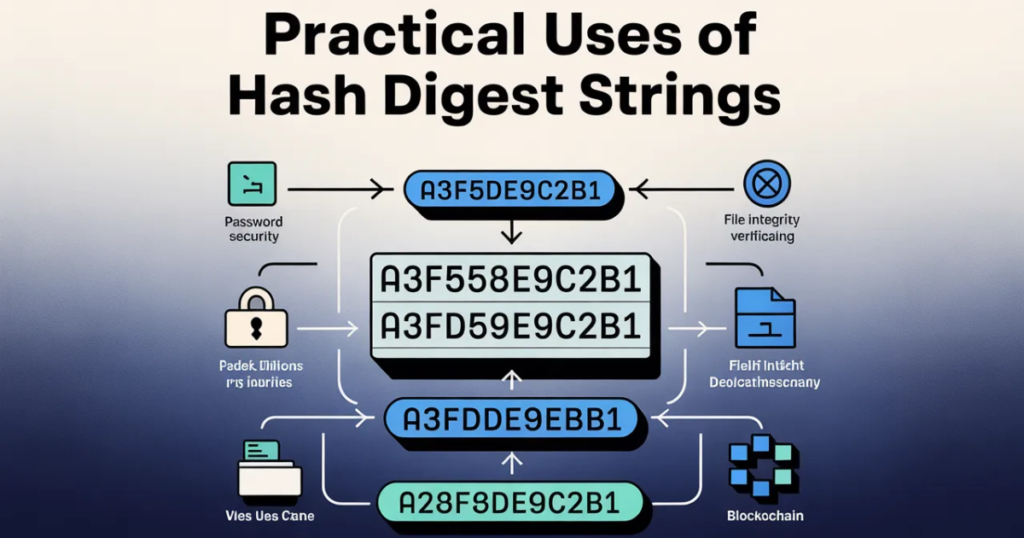
Practical Uses of Hash Digest Strings
Understanding hash strings helps in many fields.
Password Security
Passwords are stored as hashes, not plain text.
This improves security.
File Integrity Verification
Hashes confirm whether files changed or corrupted.
API Authentication
Many APIs use hashed tokens for secure access.
Blockchain Technology
Hashes secure transaction records.
You can explore practical online utilities for encoding, decoding, and digital conversions on platforms like PureToolzHub, which provide simple browser-based tools.
Why Encoding Hash Digests Is Important
Displaying raw binary data is difficult.
Encoding into string format helps:
- Human readability
- Data portability
- System compatibility
- Debugging processes
A helpful explanation of cryptographic hashing basics can also be found in the Cloudflare hash function overview, which explains how hashing supports internet security.
Common Mistakes When Handling Hash Digests
Many beginners misunderstand hashing concepts.
❌ Trying to Reverse Hash Directly
Hashes usually cannot be reversed.
❌ Using Weak Algorithms
Older algorithms like MD5 may not be secure.
❌ Storing Plain Text Passwords
Always store hashed values instead.
❌ Ignoring Encoding Format
Incorrect encoding causes compatibility issues.
Best Practices for Working With Hash Strings
Following good practices improves security and reliability.
Use Modern Hash Algorithms
Prefer SHA-256 or stronger.
Store Hashes Securely
Avoid exposing sensitive data.
Understand Encoding Standards
Consistency prevents errors.
Verify Data Integrity Regularly
Checksums help detect changes.
Who Needs to Understand Hash Digests?
Many professionals benefit from this knowledge.
Developers
Secure authentication and APIs.
Cybersecurity Professionals
Data protection strategies.
System Administrators
File integrity verification.
Students & Learners
Understanding modern digital security.
Even basic awareness helps improve digital safety.
Explore our tools
- Slug Generator
- Case Converter
- Url Encode & Decode
FAQ – Convert Hash Digest to String
Can a hash digest be reversed?
Usually no. Hashing is one-way.
Why convert hash to string?
To make it readable and easy to store.
What format is most common?
Hexadecimal format is widely used.
Is Base64 better than hex?
Base64 is shorter but depends on use case.
Are hash digests secure?
Strong algorithms provide high security.
Do all systems use hashes?
Most modern digital systems rely on hashing.
Final Thoughts
Understanding how to convert hash digest to string helps developers, security professionals, and learners work more effectively with modern digital systems. While hashes typically cannot be reversed, encoding them into readable string formats improves usability, storage, and compatibility.
Learning about hash digests helps you:
- Improve digital security awareness
- Handle encrypted data properly
- Understand authentication systems
- Work confidently with modern technology
Whether you’re coding, managing systems, or simply learning cybersecurity basics, knowing how hash strings work is an essential digital skill today.
Related Headings: